


 Security policy
(edit with the Customer Reassurance module)
 Delivery policy
(edit with the Customer Reassurance module)
 Return policy
(edit with the Customer Reassurance module)
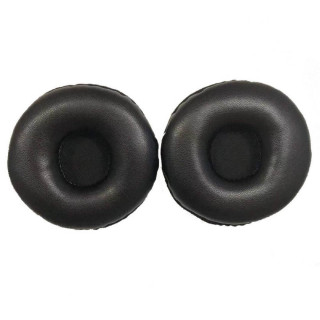
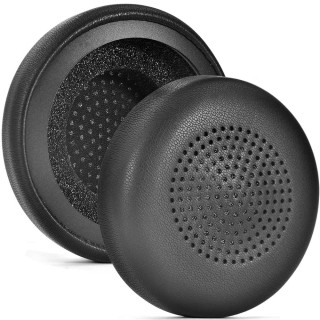
These high-quality earpads are specifically designed for Logitech H800 Wireless headphones and provide maximum comfort during long listening sessions. Made with premium foam and protein leather to ensure durability and long-lasting use without discomfort.
Constructed from premium foam and high-quality protein leather, these foam pads are durable and comfortable to use. With a fresh set of earpads, the headphones’ original sound quality is restored and external noise is reduced once again.
Refresh your Logitech H800 Wireless headphones with these replacement pads. The earpads offer excellent sound isolation and reduce ambient noise, ensuring consistent audio while conforming to the shape of your ears for maximum comfort.
Earpads wear out over time and lose their softness and shape. New earpads offer improved comfort, especially during longer listening periods, reducing pressure and discomfort on the ears.
Worn earpads can affect the headphones’ ability to block noise and deliver optimal sound quality. New earpads enhance sound isolation and thus elevate your listening experience.
Earpads accumulate dirt and bacteria over time. Replacing them regularly ensures that your headphones remain clean and hygienic.
By regularly maintaining and replacing earpads, you can extend the lifespan of your headphones. This is more cost-effective than buying a new pair.
New earpads give you the opportunity to customize your headphones with different colors and materials, adding a personal touch to your Logitech H800 Wireless.
In summary, regularly replacing earpads is a simple yet essential part of maintaining your headphones to ensure optimal comfort, sound quality, and hygiene.
1. Carefully remove the old earpads—typically you need to gently pull or twist them off the grooves or attachment points.
2. Inspect the grooves or slots on the headphones; this may vary depending on the model.
3. Align the new earpads with the attachment points.
4. Press the earpads into the groove or slot to secure them in place.
5. Repeat for the other earpad.
Enjoy your refreshed headphones with improved comfort and sound isolation.
Note: For hygiene reasons, the product cannot be returned or exchanged if the packaging or seal is broken.
Color: Black
Material: Protein leather
Compatibility: Logitech H800 Wireless
1 pair earpads (headphones not included)



check_circle
check_circle




Comments (0)
Your review appreciation cannot be sent
Report comment
Report sent
Your report cannot be sent